Keep every job visible.
Track client, job type, amount, status, next action, and follow-up date without rebuilding another spreadsheet.
CollectDesk turns job notes, follow-ups, and balances into a simple daily check before work starts.
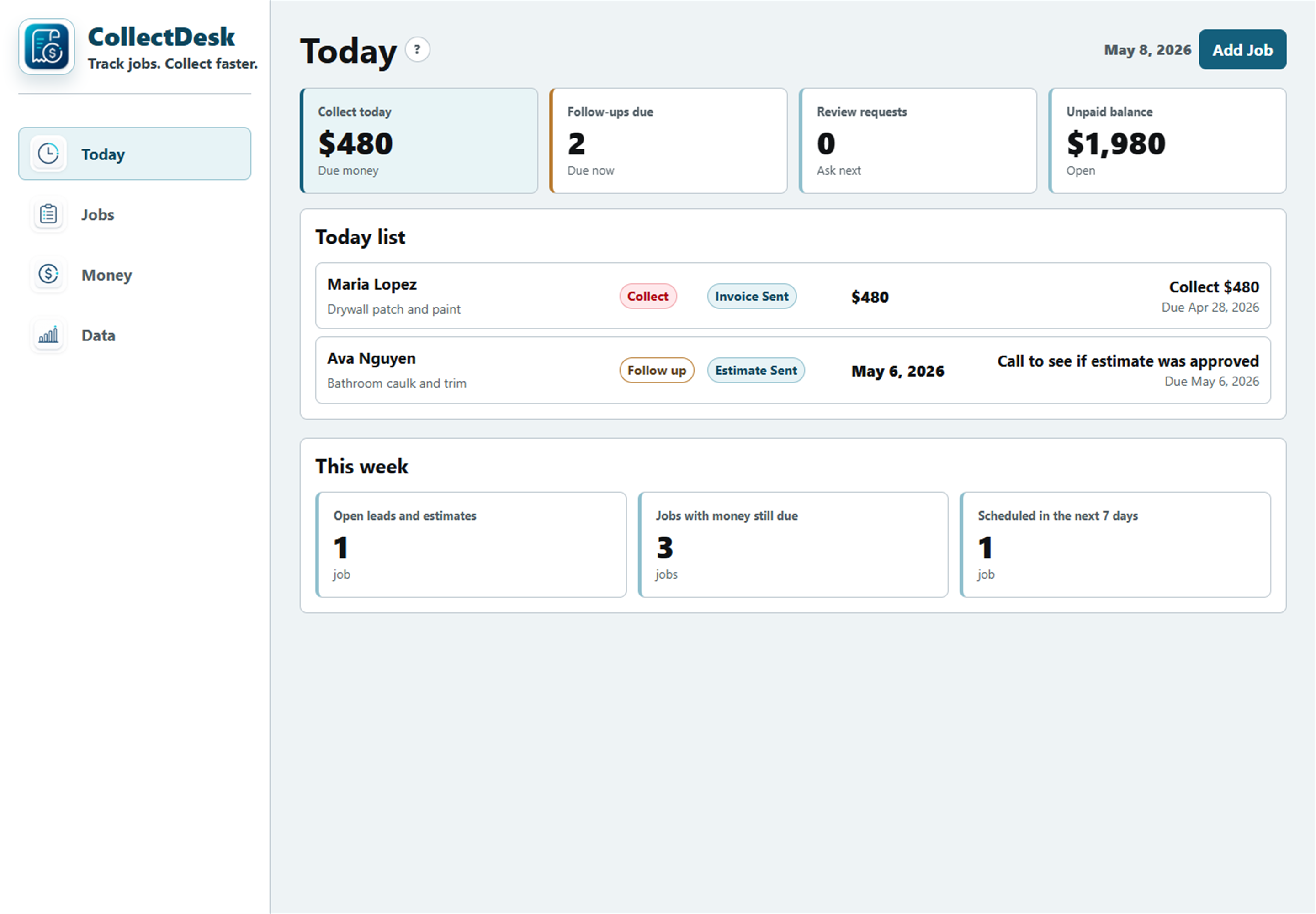
When job details live across texts, notes, paper, invoices, and memory, unpaid balances and follow-ups are easy to miss.
CollectDesk keeps the daily admin loop simple: what job is open, who still owes money, who needs follow-up, and what should happen next.
Track client, job type, amount, status, next action, and follow-up date without rebuilding another spreadsheet.
Spot overdue and unpaid jobs before they get buried under the next estimate, call, or job site visit.
Open the Today view and see who needs a call, estimate follow-up, invoice reminder, or review request.
Export a backup file when records change, then import it if you switch browsers or devices.
Add the job, check what needs attention, update the record, and back up your data when important records change.
Enter the client, job amount, status, next action, and follow-up date.
See unpaid balances, follow-ups, and work that needs attention before the day fills up.
Record payment status, update the next action, and export a backup when records change.
A larger visual first. Choose a tab below to preview the matching CollectDesk screen.
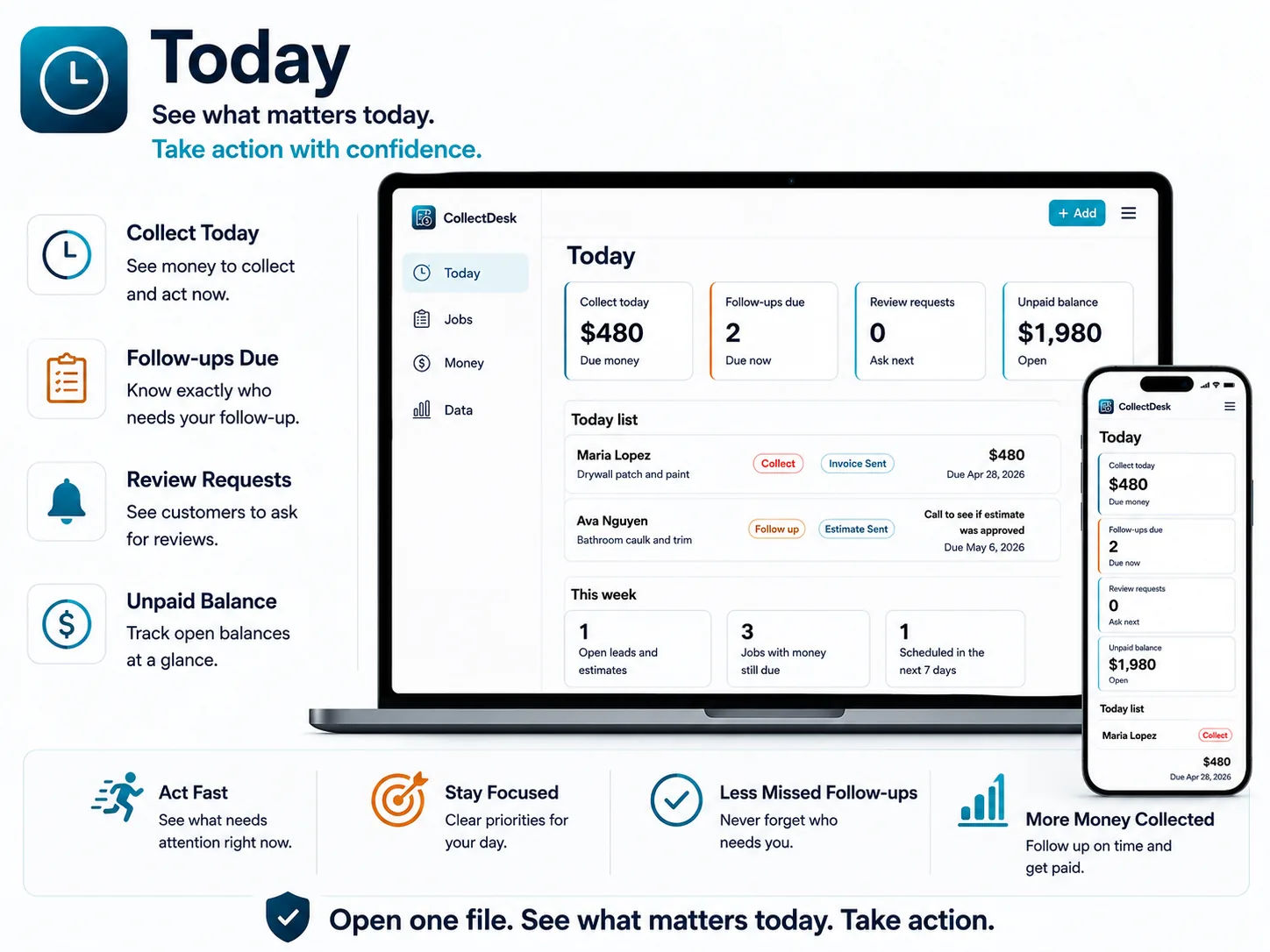
See how job records, unpaid balances, follow-ups, and next actions stay visible in the tracker.
Includes iPhone, iPad, and Android browser setup videos. Not an App Store or Play Store app.
Open the install link in Safari and save CollectDesk for quick access.
Open the install link in Chrome and keep CollectDesk on your home screen.
Records stay in your browser. Export a backup to protect or move them.
Open the tracker in a modern browser and start with sample jobs or your own records.
CollectDesk is a one-time digital product for solo operators who do not need full contractor software.
Records stay in the browser/device you use unless you export and import a backup.
Use Export Backup when important records change and keep the file somewhere safe.
CollectDesk is a focused browser app for tracking jobs, balances, follow-ups, and backups. It keeps daily admin visible without asking you to adopt full contractor software.
Ask about setup, backups, or whether CollectDesk fits your workflow.
Buy once. Download the tracker, setup videos, and backup guides.
No. CollectDesk does not use an account or cloud database. Your records are saved in the browser/device where you use the app.
No. Records do not automatically sync between devices or browsers. To move records, export a backup and import it on the other device or browser.
No. CollectDesk is a browser-based tracker. The buyer package includes setup videos for opening and saving it on iPhone, iPad, and Android browsers.
No. CollectDesk tracks invoice/payment status and follow-up needs. It does not send invoices, process payments, or connect to accounting software.
No. CollectDesk is for job tracking, payment status, and follow-up visibility. Accounting and tax records should stay in your accounting system.
Use Export Backup regularly and keep the file somewhere safe. Import Backup can restore or move your records.
CollectDesk is best for solo handymen, cleaners, landscapers, painters, and home-service pros who want a simple tracker without full contractor software.
It is not for dispatch teams, multi-user crews, businesses that need GPS routing, QuickBooks integration, automatic SMS, invoice sending, or online payment processing.
Use CollectDesk to see who needs payment, who needs follow-up, and what to handle next.